Integrations
Plagiarism Checker Plus, where you already write
Check for plagiarism and AI writing, and cite your sources, without copying and pasting between tabs. Your text is only sent when you click Check.
Chrome™ extension
Check and cite anywhere you write
A Check button in the text box you are writing in, a check bar for any text you highlight, results in a side panel, and one-click APA, MLA, Chicago or Harvard citations for the page you are reading.
Explore the Chrome Extension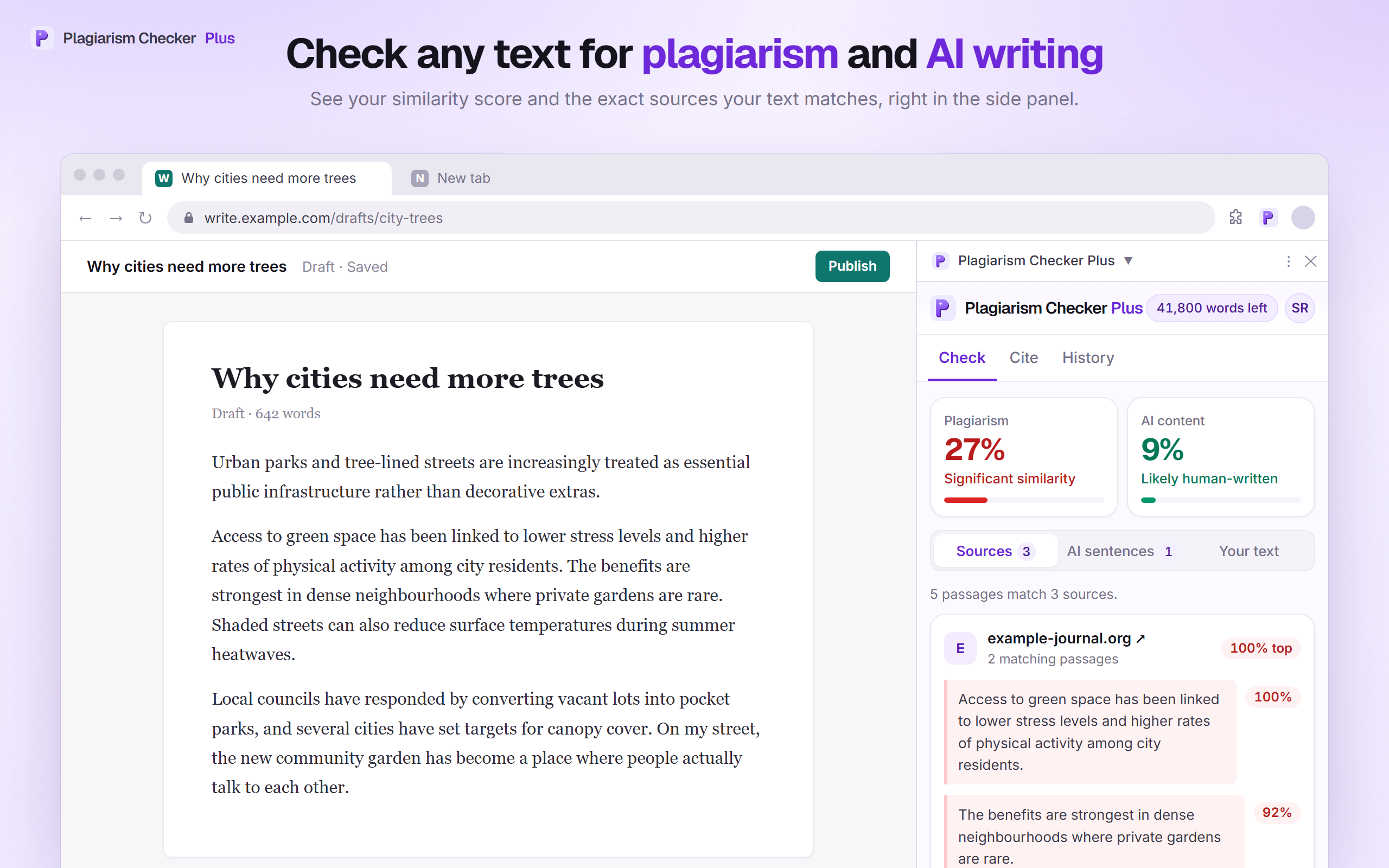
Google Docs™ add-on
Check your document without leaving Docs
Check a whole document or a selection for plagiarism and AI writing, see matches highlighted right in your doc, leave out quotes and your reference list, and insert citations at your cursor.
Explore the Google Docs Add-on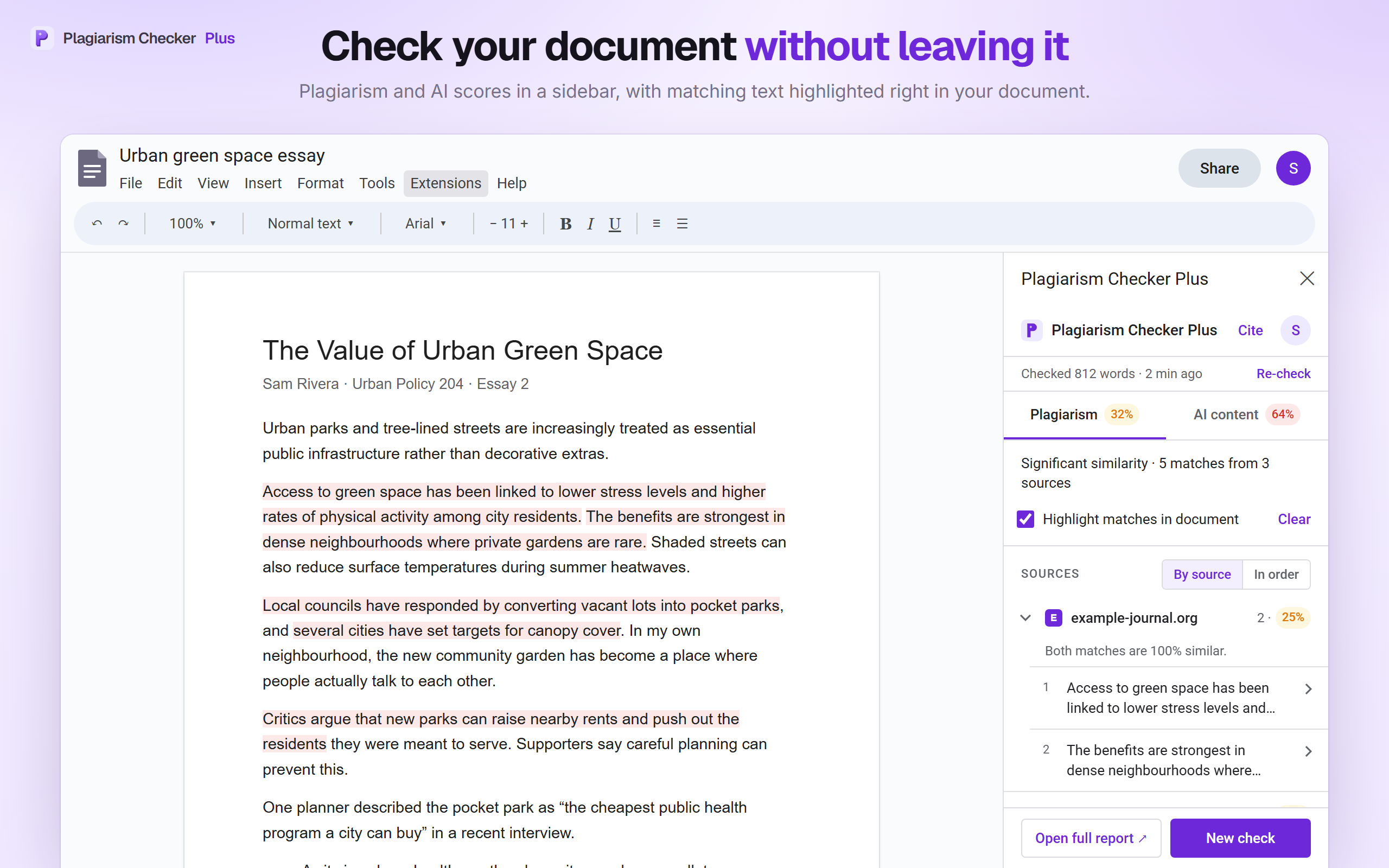
Prefer the browser? Use the web app.
Paste or upload your text at app.plagiarismcheckerplus.com, or read the Help Center for step-by-step guides.
Open the web app