Check Google Docs for Plagiarism and AI Writing
Plagiarism Checker Plus is a Google Docs add-on that checks your document — or just the part you select — for plagiarism and AI-generated writing. It shows your scores and matching sources in a sidebar, highlights matched and AI-likely passages right in your document, and inserts citations in 14 styles.
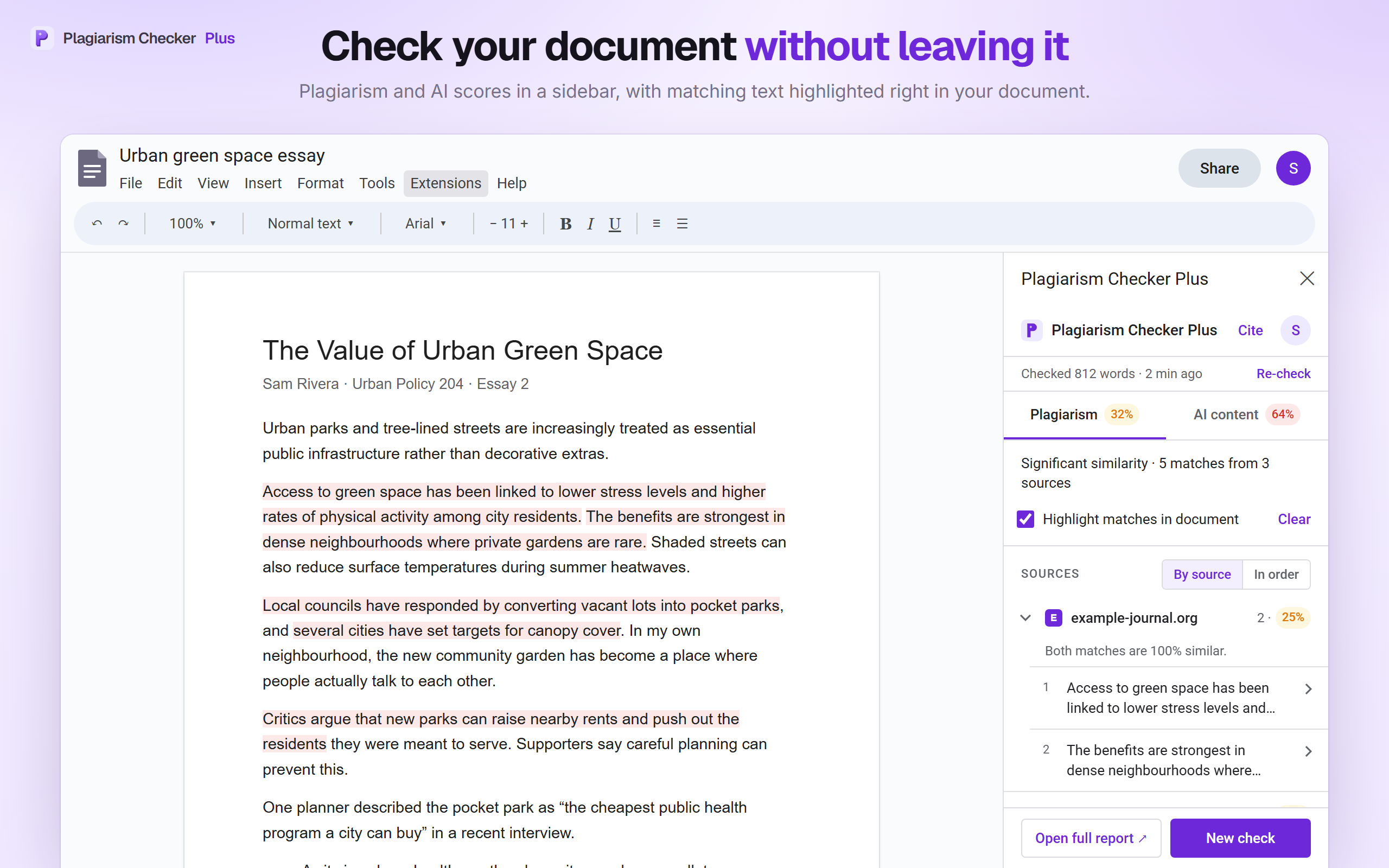
Check a document without leaving it
- 1
Open the sidebar
In your document, choose Extensions › Plagiarism Checker Plus › Check this document.
- 2
Connect your account
Sign in once with your free Plagiarism Checker Plus account. The website opens in a small window and you confirm the connection there.
- 3
Choose what to check
Whole document or your selection; plagiarism, AI detection or both; and whether to leave out quotes and the reference list.
- 4
Review and highlight
Read the scores and sources, click any match to jump to it, and highlight matches or AI sentences right in the document.
Plagiarism and AI scores, highlighted in your document
Everything happens in a sidebar next to your writing. When the check finishes you see how much of the document matches other sources and how much reads as AI-generated — then go straight to the passages that need attention.
- Plagiarism % and AI content % side by side in two tabs
- Matches grouped by source website, with how many passages match and their share of the document
- Click any match to select that text in your document
- Tick “Highlight matches in document” to shade every match; later checks highlight automatically
See exactly where each match comes from
A similarity score is only useful when you can see why. Expand any match to compare your sentence with the source text, then decide whether it needs quotation marks, a citation, or a rewrite.
- Open a match to read the source paragraph with the matching words marked
- Open source visits the page; Cite builds a citation for it
- Switch between grouping matches by source or in document order

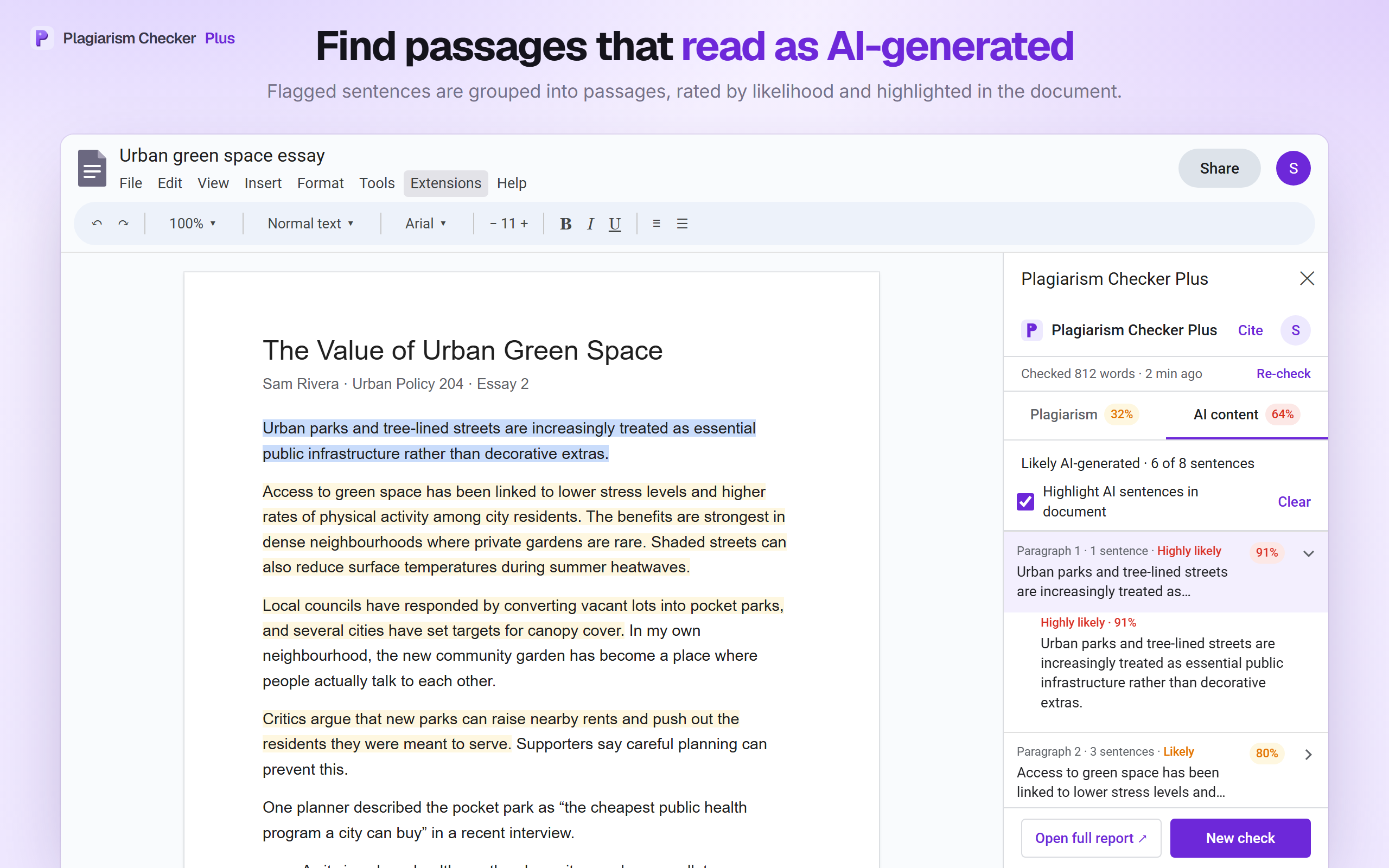
Find passages that read as AI-generated
Instead of a single number, the AI content tab shows which parts of your document drove the score, so you can reread them and put them in your own words.
- Flagged sentences grouped into passages by paragraph
- Each passage rated Highly likely, Likely or Possible
- Tick “Highlight AI sentences in document” to shade them in yellow
- Click a passage to jump to it in the document
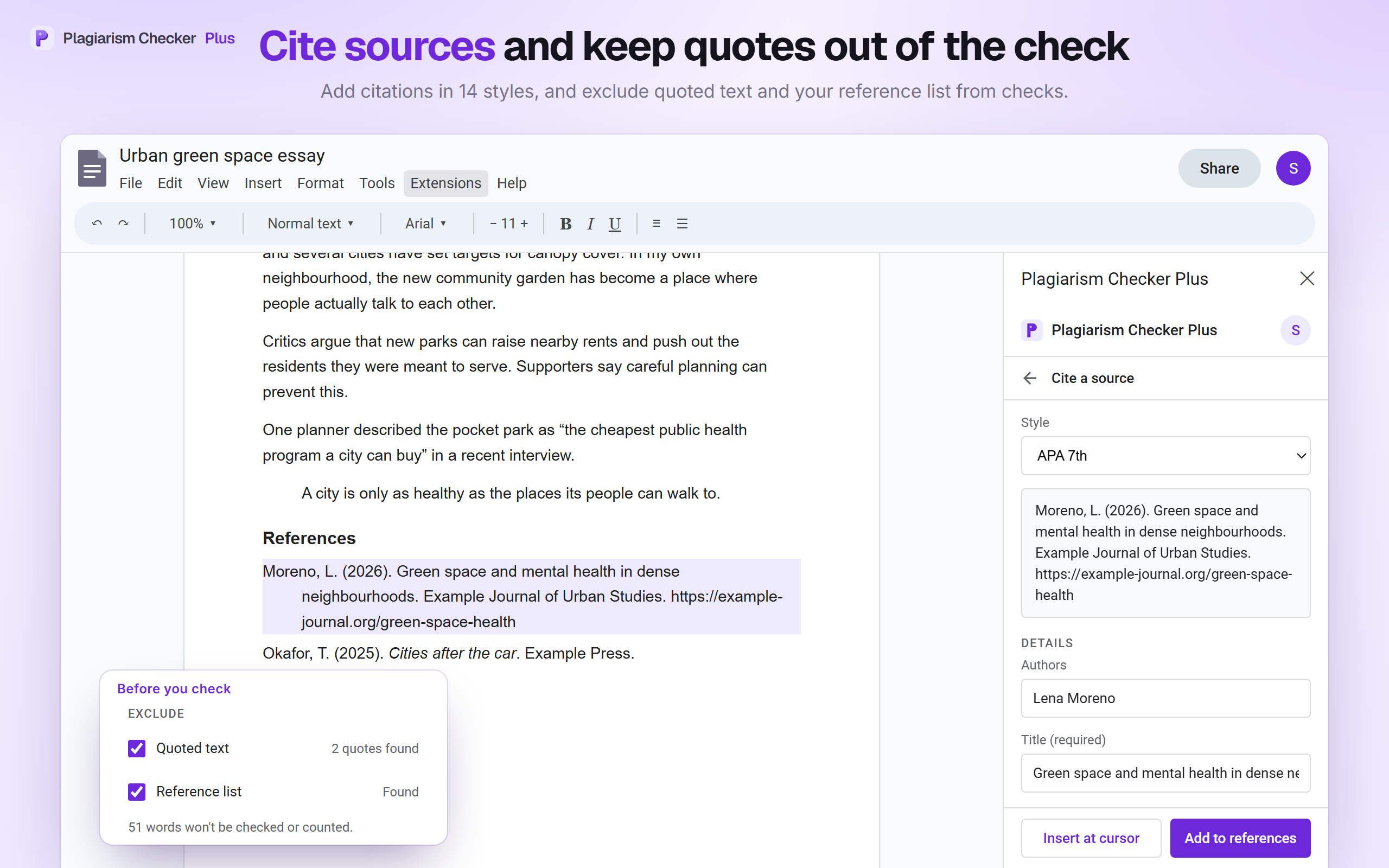
Cite sources and keep quotes out of the check
Pick from 14 citation styles: APA 7, MLA 9, Chicago 17, Harvard, IEEE, Vancouver, AMA, Turabian, CSE, ACS, ASA, APSA, Oxford, ABNT. Start a citation from any match with Cite, or from the sidebar header.
Changed the document after checking it? The sidebar notices that your last whole-document check is out of date and offers Re-check. Reopen the sidebar later and your last check for that document is still there.
- Look up a web page, DOI or ISBN, fix any details, then Insert at cursor or Add to references
- Add to references keeps the list alphabetical with a hanging indent, under a References, Works Cited or Bibliography heading (created if missing)
- Exclude quoted text and your reference list — excluded text isn’t sent, checked or counted
- Check the whole document or only your selection
What the add-on can and can’t access
When you install Plagiarism Checker Plus, Google asks you to allow three permissions. Here is what each one is for, in plain English.
View and manage the document it’s opened in
To read the text you ask it to check, count words, find quotes and the reference list you choose to exclude — and, only when you ask, to colour matched passages or insert a citation. Only the document you are in: never your other documents or your Drive.
documents.currentonlyDisplay and run its sidebar in Google Docs
To show the Plagiarism Checker Plus sidebar where you choose what to check and read your results.
script.container.uiConnect to an external service
To send the text you chose to check to app.plagiarismcheckerplus.com when you click Check, and to fetch your results, account and citations. It connects to no other site.
script.external_requestWhat it can’t do: the add-on cannot open your other documents, browse your Google Drive, read your Gmail, or see your Google account profile. It writes to your document only when you ask it to — to highlight matches or insert a citation.
Your document stays yours
A short summary of how Plagiarism Checker Plus handles your document. The full details are in section 6 of our privacy policy.
Sent only when you click Check
Never sold, never used to train AI
You can remove it any time
Your sign-in token and a summary of your last check for each document are stored in your own Apps Script user properties. Source website icons are loaded from Google’s public favicon service, which receives only the source website’s domain.
Writing outside Google Docs? Get the Chrome extension.
The Plagiarism Checker Plus Chrome extension adds a Check button to text boxes across the web, checks text you highlight on any page, and cites the page you are reading in APA, MLA, Chicago or Harvard — all from Chrome’s side panel.
See the Chrome extension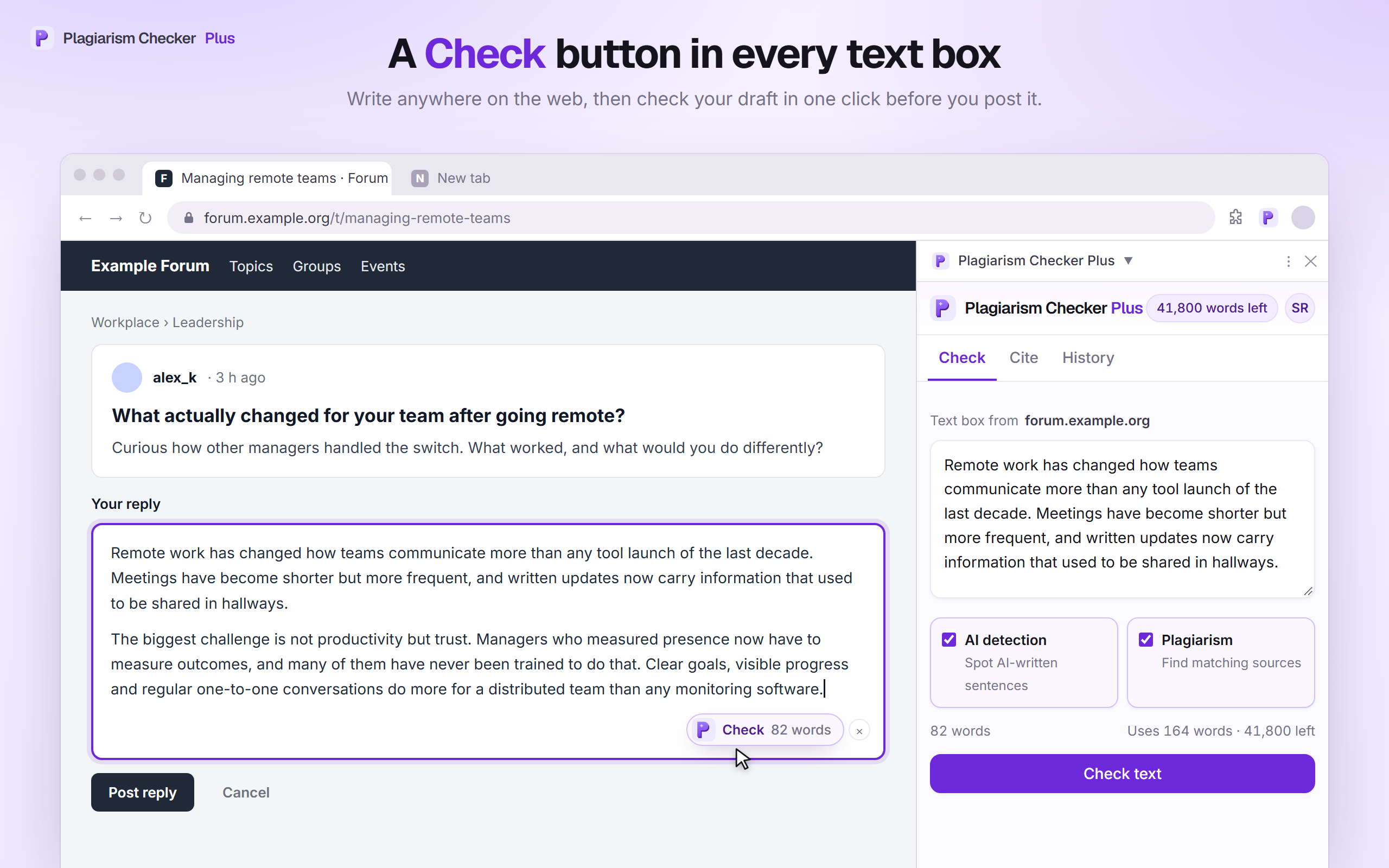
Google Docs add-on questions
Check your Google Doc before you submit — free to install
Plagiarism and AI detection, highlights in your document, and citations in 14 styles. Connect a free account to start, or see plans when you need more words.
Google Docs and Chrome are trademarks of Google LLC. Plagiarism Checker Plus is not affiliated with or endorsed by Google. Plagiarism Checker Plus for Google Docs is provided under our Terms of Service and Privacy Policy. Questions? Contact us.