AI Detector & Plagiarism Checker for Chrome
Plagiarism Checker Plus puts an AI detector, a plagiarism checker and a citation generator in Chrome’s side panel. Check what you are writing in any text box, check text you highlight on a page, and cite the page you are reading — without copying anything into another tab.
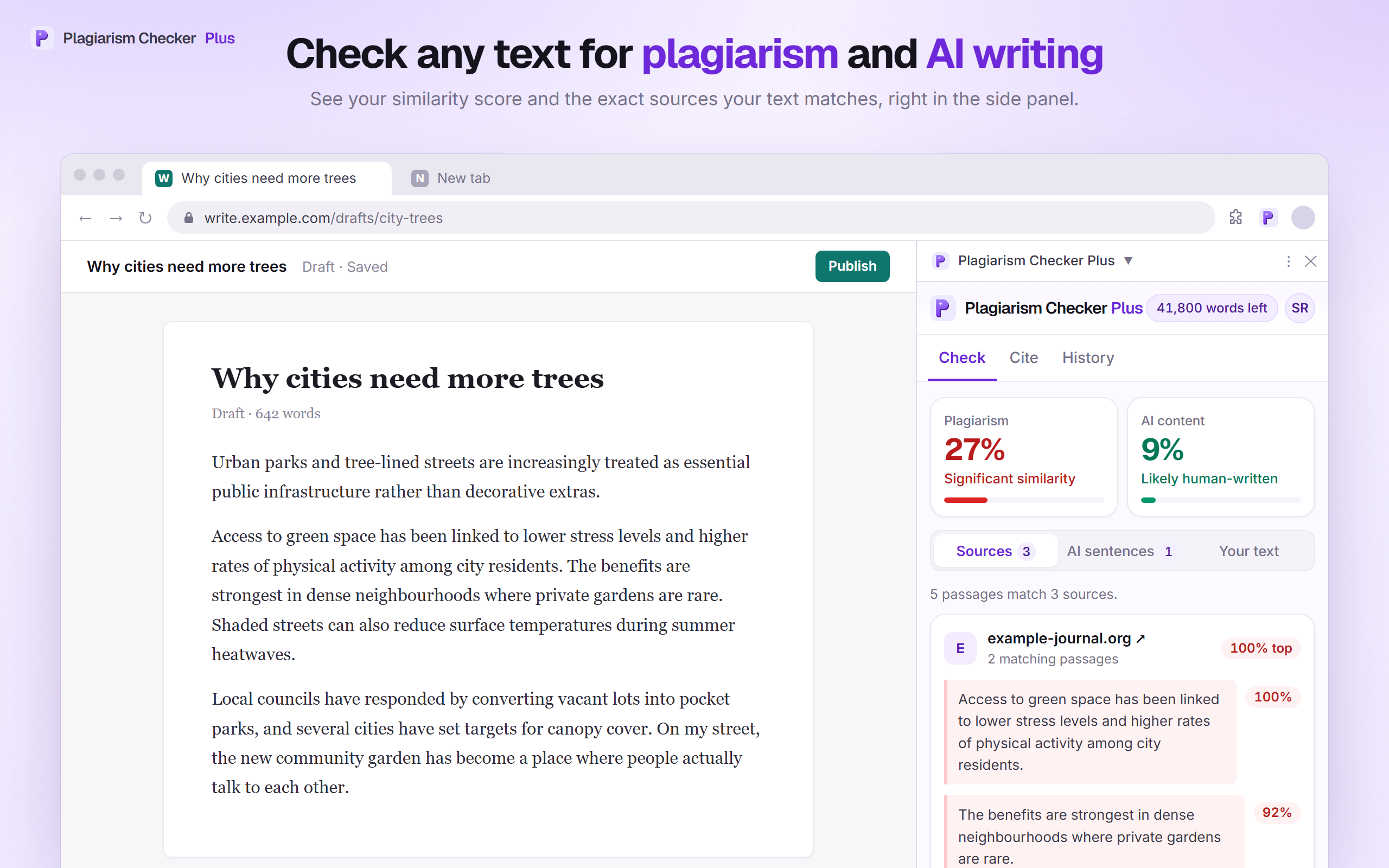
From draft to report in four steps
- 1
Add it to Chrome
Install the extension and pin it to your toolbar. Checking works right away as a guest, or sign in to use your account.
- 2
Pick your text
Click Check on a text box you are writing in, highlight 50+ words on any page, or paste text into the side panel.
- 3
Choose your checks
Tick AI detection, Plagiarism, or both. You see the word count and what the check will use before you start.
- 4
Review the results
Scores, matching sources and AI-flagged sentences appear in the side panel, with the full report one click away.
Your scores and sources, right beside the page
Click the toolbar icon to open the side panel, paste or bring in your text, and choose AI detection, Plagiarism, or both. Results stay next to the page you are working on, so you can fix a sentence and check again without switching tabs.
- Plagiarism % with every matching source and the passages that match it
- AI content % with a plain-language verdict
- A “Your text” view that marks matches and AI-likely sentences in your own writing
- Open the full report on the web app when you want more detail
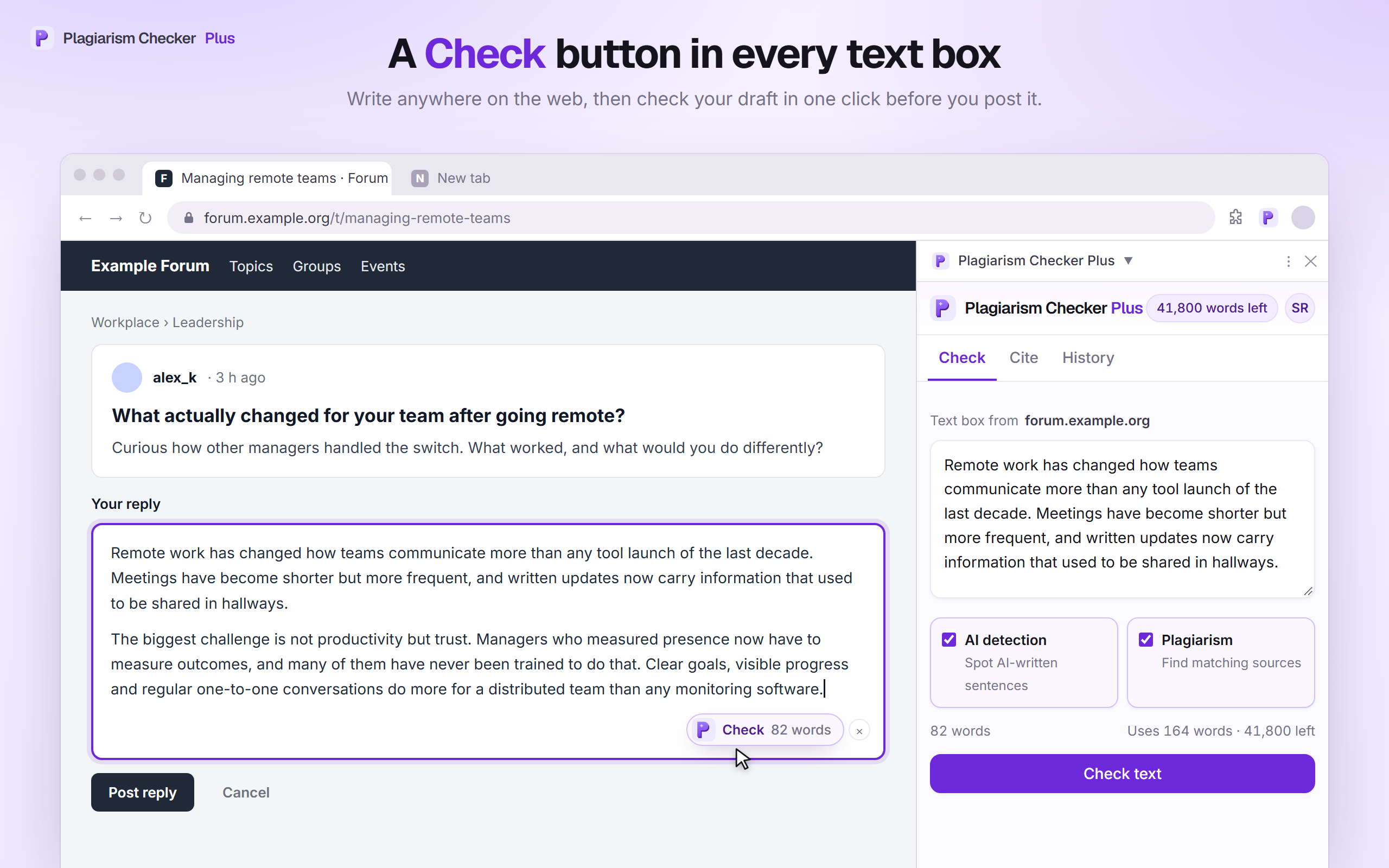
A Check button in your text boxes
Writing a forum reply, an email or a discussion post? A small Check · N words button sits in the corner of the box. One click sends that text to the side panel, ready to check before you post it.
- Appears on text boxes once they hold 50 or more words
- Works in plain text areas and rich editors such as Gmail
- Or right-click inside a text box and choose “Check this text box”
- Hide it on any site with the ×, or turn it off in settings
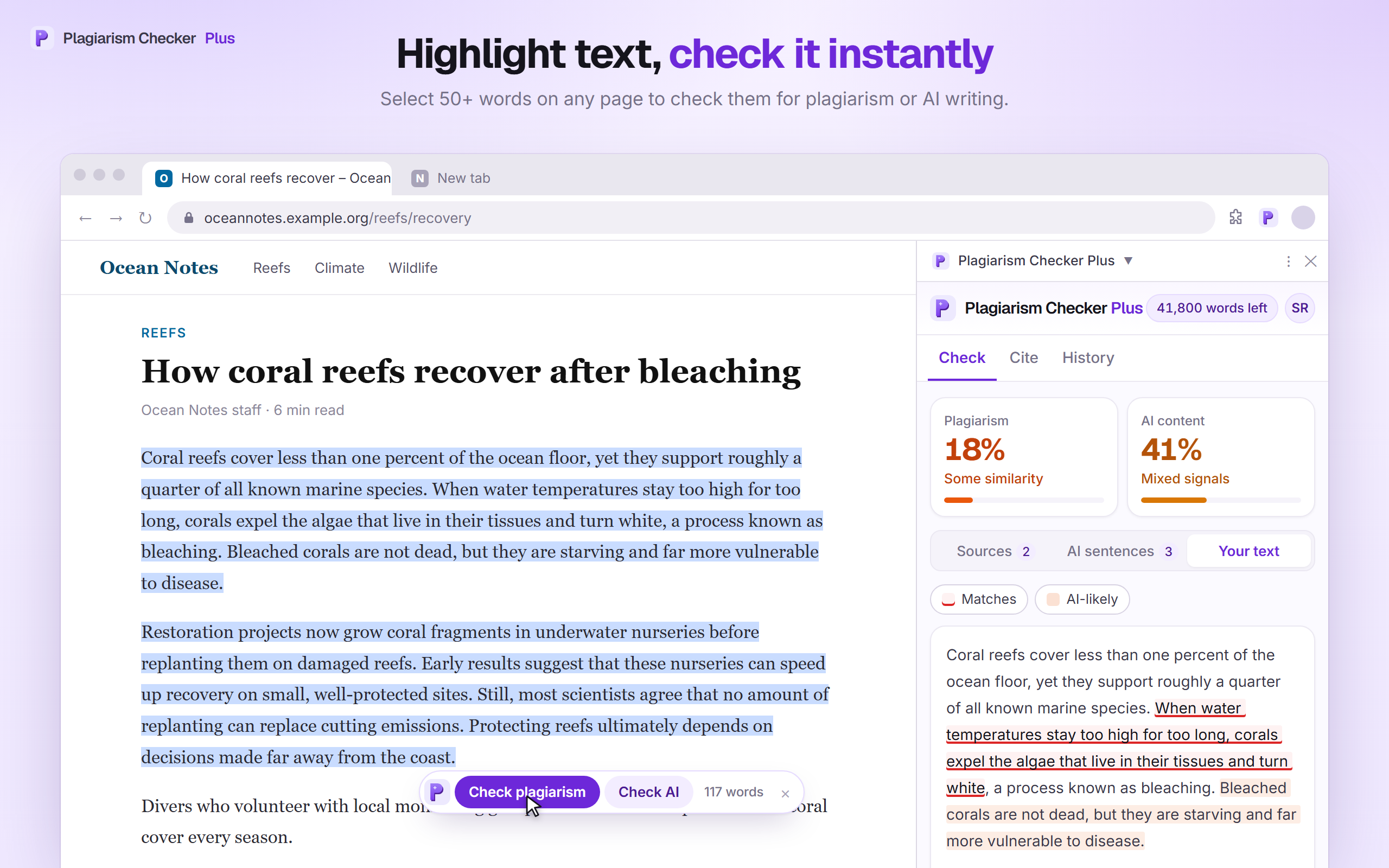
Highlight text, check it instantly
Want to know whether an article, a submission or a snippet you found reads as original? Highlight it. The bar hides itself after a few seconds, so it stays out of your way when you are only selecting text.
- Select 50+ words — drag, double- or triple-click, Shift + arrows, or copy
- A bar offers Check plagiarism and Check AI next to your selection
- Or right-click the selection and choose Check for AI & plagiarism
- Or press Alt + Shift + P to check the selected text
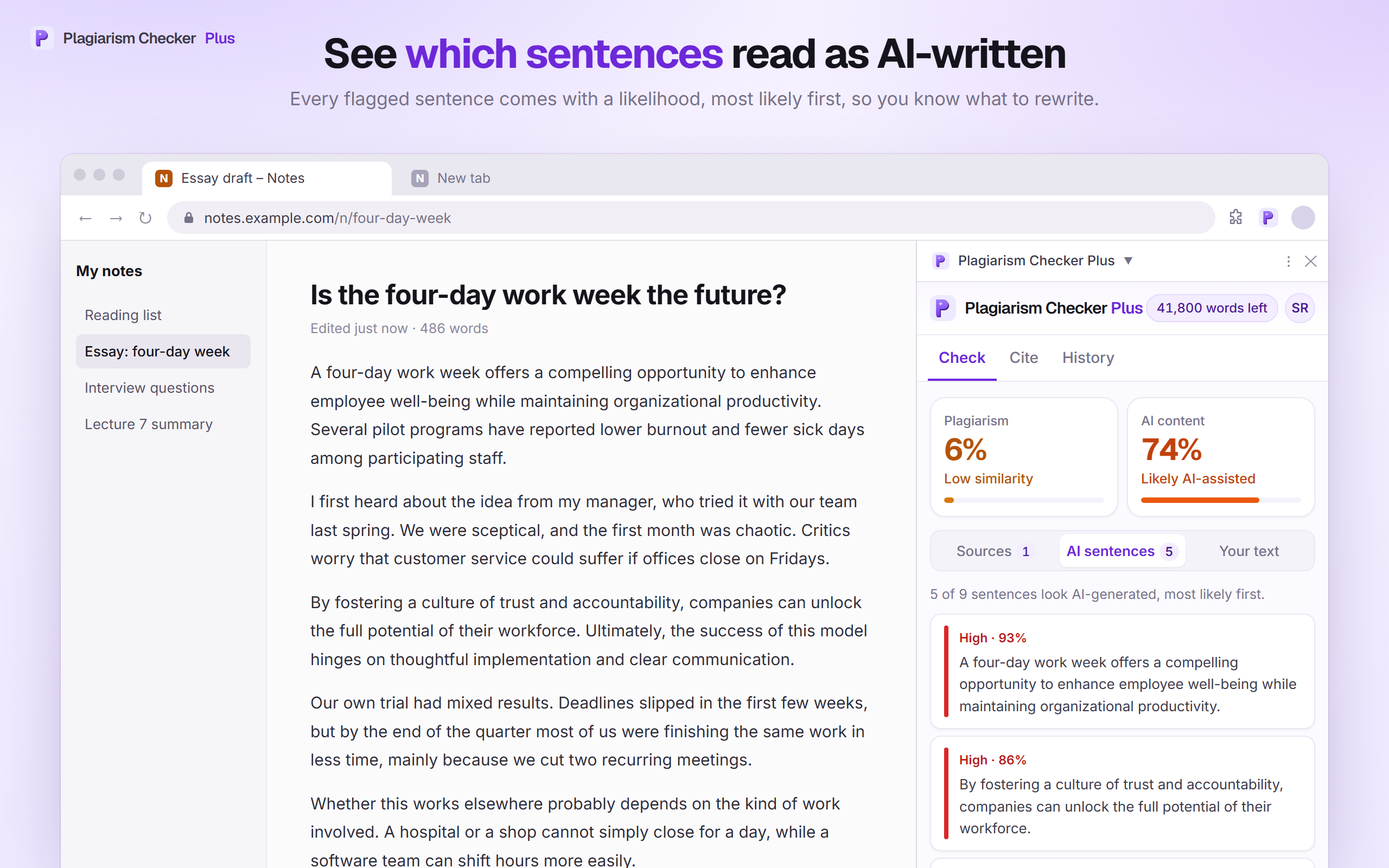
See which sentences read as AI-written
An overall AI score only tells you so much. The AI sentences tab shows exactly which sentences drove it, so you know what to reread and rewrite in your own voice.
- Flagged sentences listed most likely first, each with a likelihood
- A count of how many sentences look AI-generated out of those judged
- The same sentences shaded in the “Your text” view
Cite the page you’re reading in one click
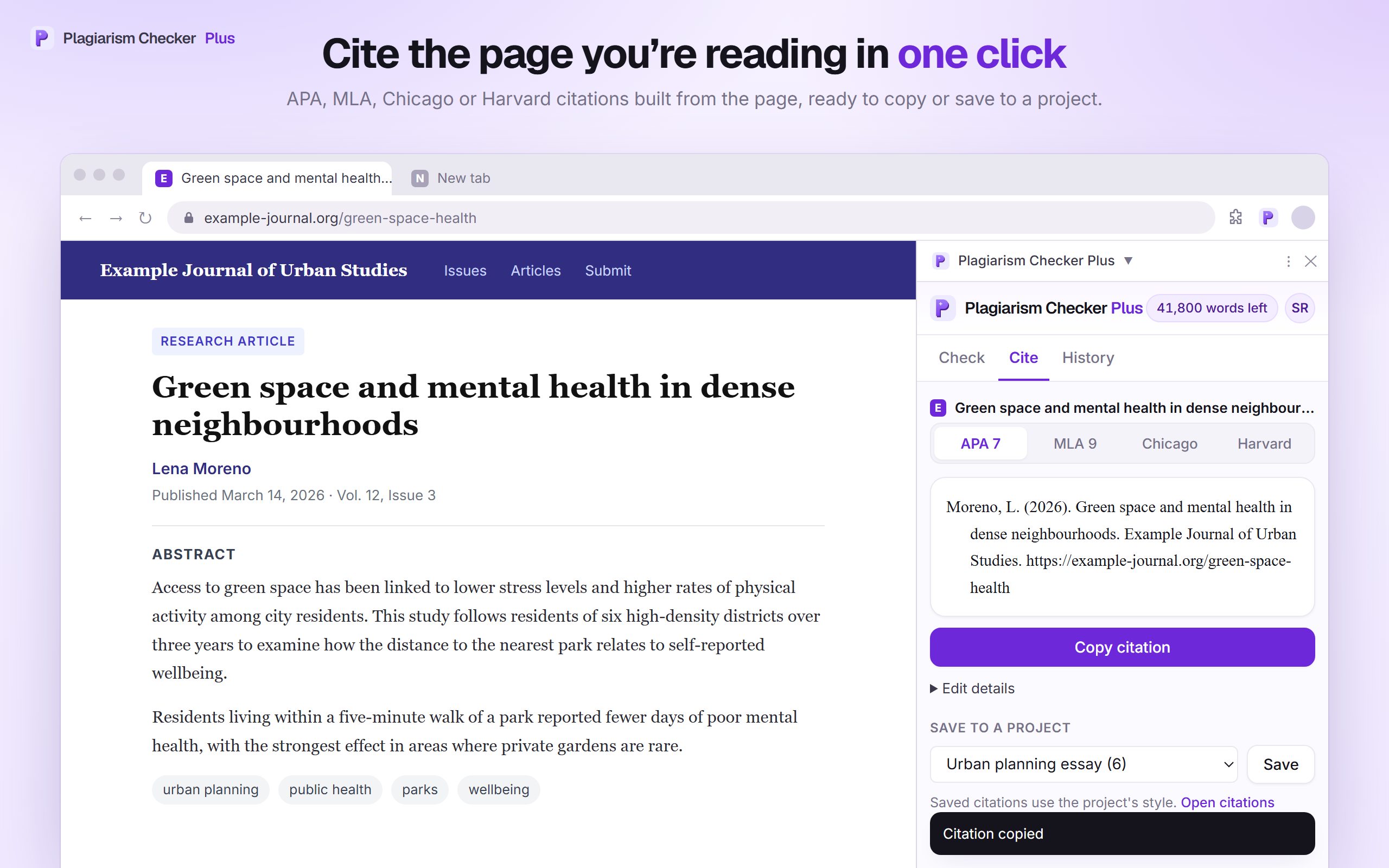
Open the Cite tab, or right-click a page and choose Cite this page. The extension reads the citation information the page publishes and formats a reference you can paste straight into your bibliography. Signed in, you can save it to a project on the citation generator and build your reference list as you research.
- APA 7, MLA 9, Chicago and Harvard
- Built from the page’s own citation details — title, authors, dates, publisher
- DOIs looked up automatically when you are signed in
- Edit any detail, copy with italics intact, and save to a citation project
Long checks keep running in the background
Your recent checks, one click away
You stay in control
The extension only sends text to Plagiarism Checker Plus when you ask it to — and you decide where its buttons appear.
Text is sent only when you click Check
Hide the buttons on any site
Or turn them off entirely
The extension does not record your browsing history, keystrokes, or activity on pages you do not check. Text you check is used only to produce your results — we never sell it and never use it to train AI models. Read the full details in section 6 of our privacy policy.
Writing in Google Docs? Use the add-on.
The extension’s in-page buttons are switched off on Google Docs. Our Google Docs add-on checks the whole document or your selection from a sidebar, highlights matched and AI-likely passages right in the document, and inserts citations at your cursor.
See the Google Docs add-on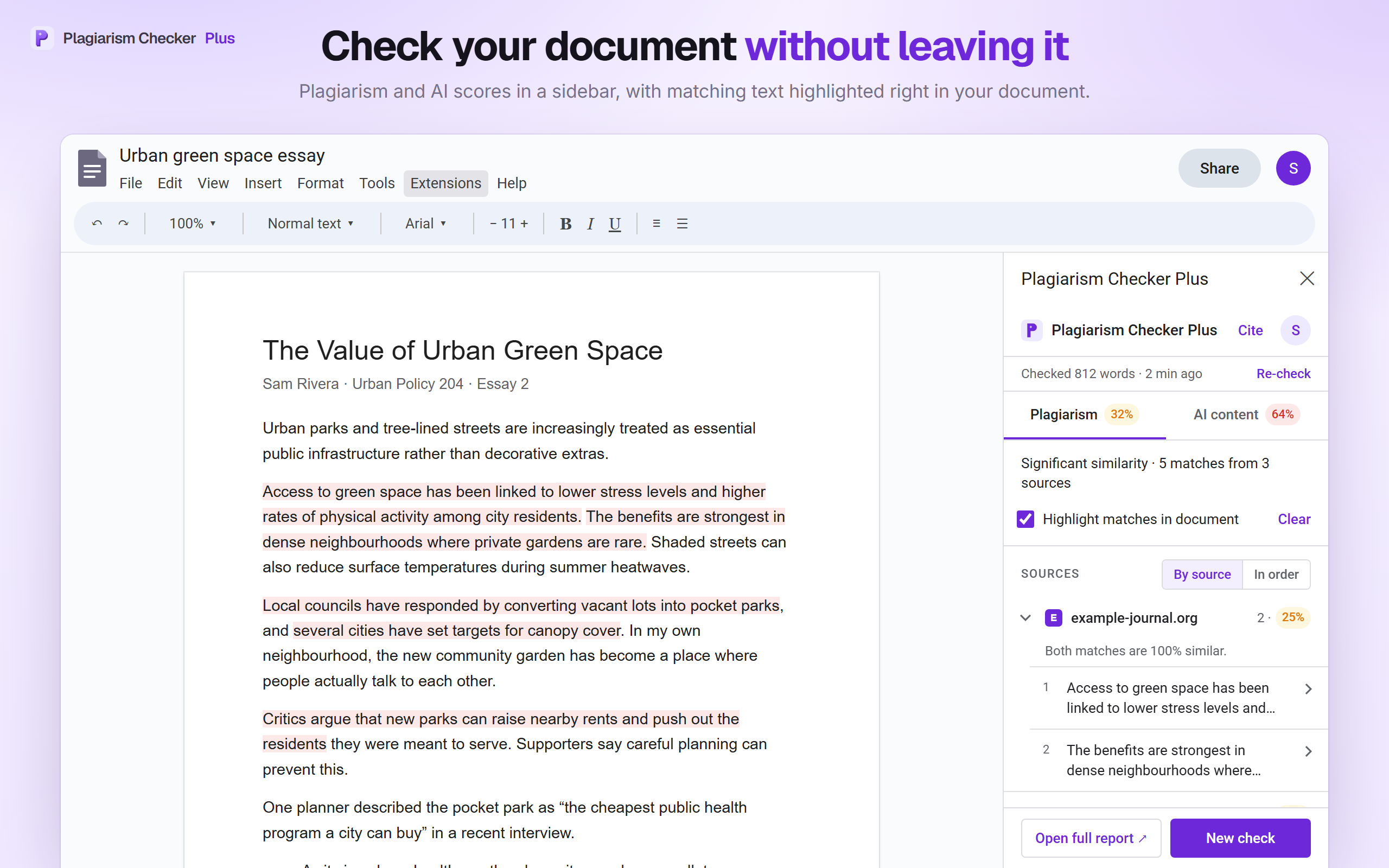
Chrome extension questions
Check your writing anywhere on the web — free to install
AI detection, plagiarism checking and one-click citations in Chrome’s side panel. Start as a guest, or see plans when you need more words.
Google Docs and Chrome are trademarks of Google LLC. Plagiarism Checker Plus is not affiliated with or endorsed by Google. · Privacy policy · Terms of service