Free AI detector for PDF files
Upload a PDF or Word file with a free account and see an AI likelihood for every sentence, with plagiarism in the same report. No account? Paste up to 1,000 words below.
Or paste text from your PDF here. Your first check needs no account.
- Free account: 3,000 words a month
- AI score for every sentence
- Never used to train AI
What you see after checking a PDF for AI
Not just one number. The report shows which sentences the score comes from.
Flagged sentences, highlighted in your document’s text
A single flagged sentence means little. A whole section flagged together tells you where to look more closely.
- Overall AI score for the file
- A likelihood for each sentence
- How many sentences are flagged
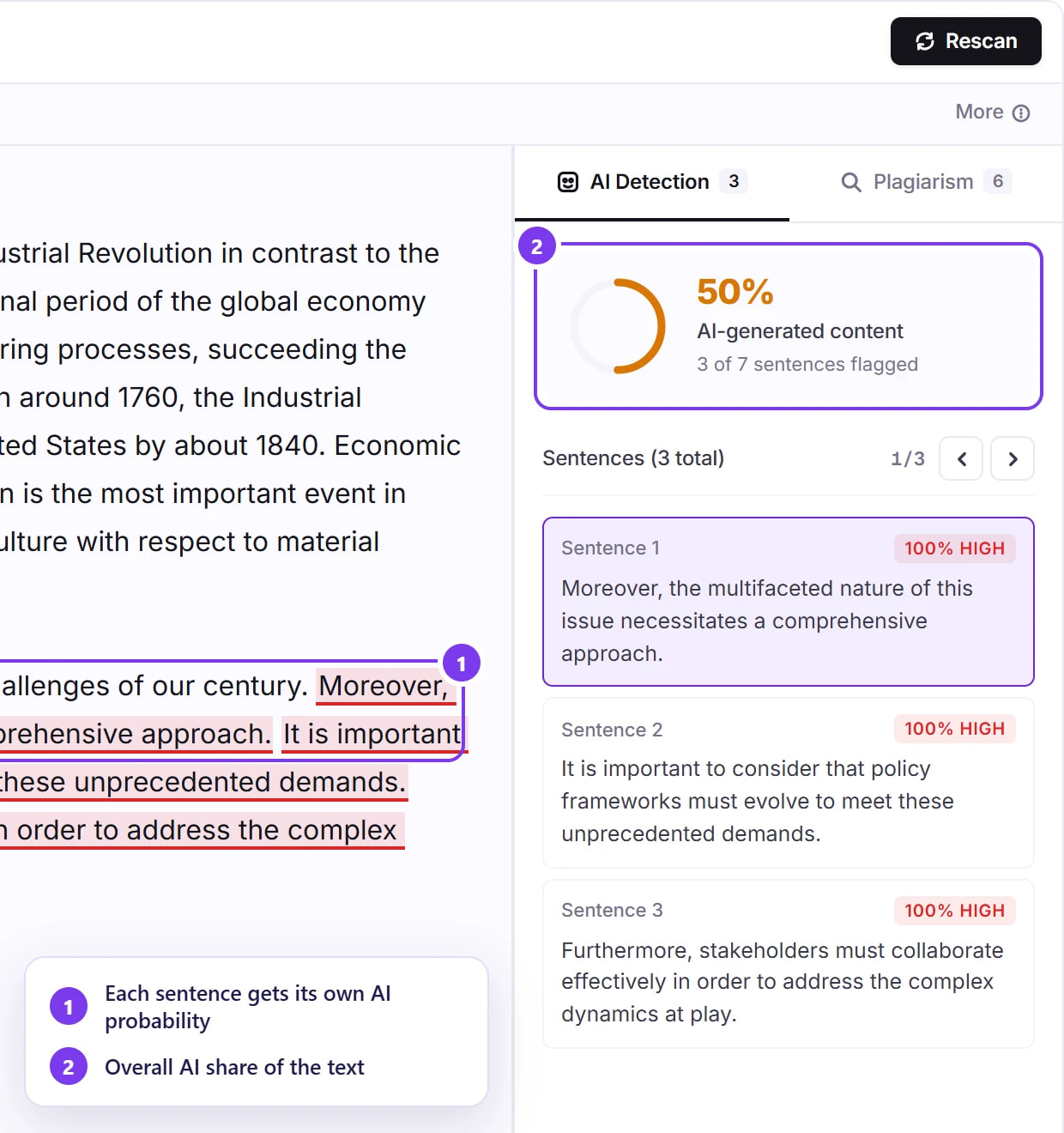
An overall AI score
One percentage for the whole document: how much of it reads as AI-written. Treat it as a starting point, not a verdict.
A likelihood for each sentence
Every sentence gets its own likelihood, highlighted in the text, so you can see which pages and paragraphs the score comes from.
Plagiarism in the same report
Add the plagiarism check and the same report links every matching passage to its source. One upload, one report.
How to check a PDF for AI in 4 steps
Sign in and open Upload File
A free account is enough. Open the editor in the web app and choose Upload File.
Add the PDF
Drop in a PDF or Word file, choose one from your computer, or pick it from Google Drive.
Check the text first
You see the word count and any problem, such as a scan with no text, before a single word is used.
Run AI detection
Tick AI detection (add plagiarism if you like) and start the check. The report opens when it is ready.
The web app is in English, Spanish and Portuguese. Only want to look for copied text? Use the PDF plagiarism checker.
Files you can check for AI
Uploading reads the text in order, which copy-pasting from a PDF often breaks.
| File | Extension | Good to know |
|---|---|---|
| PDFs with real, selectable text. A scanned page is a picture and can’t be read. | ||
| Word | .docx, .doc | Paragraphs and tables are read. Images are left out. |
| Plain text | .txt | Read as it is. You can also drop a .txt file on the box on this page. |
| Google Docs™ | From Google Drive™ | Pick a document, or a PDF or Word file stored in Drive. |
More formats, such as RTF, ODT and PowerPoint, are listed on the PDF plagiarism checker page.
How much you can check for free
Uploading needs an account. Each check uses words from your plan, the same as pasted text.
| Plan | File size | Uploads | Words |
|---|---|---|---|
| No account | Paste only | One free check | Up to 1,000 words |
| Free account | 5 MB per file | 1 upload a day | 3,000 words a month |
| Student | 25 MB per file | 10 uploads a day, up to 5 files at once | See pricing |
| Personal and Team | 25 MB per file | No daily limit, up to 20 files at once | See pricing |
Words are shared by AI detection and plagiarism checks, and running both on a file uses its words twice. Details are on the pricing page.
What an AI check on a PDF can and can’t tell you
A likelihood, not proof
An AI score estimates how likely text is to be AI-written. Any detector can flag writing a person wrote, so never treat a score as proof on its own.
Scanned PDFs have no text
A scan or a photo of a page is an image. Export the original document as a PDF or Word file, or run it through a text-recognition (OCR) tool first.
Very short files
AI detection needs at least 50 words. A shorter file can still get a plagiarism check (30 words or more), and the list tells you before anything runs.
Read how AI detectors work and why detectors flag human writing. Checking students’ work? See the AI detector for teachers.
More free writing tools
- Word counter Count words, sentences and paragraphs, with reading time.
- Character counter Count characters with and without spaces against common limits.
- Grammar checker Check grammar, spelling, punctuation and style in a whole text.
- Sentence checker Find and fix grammar, spelling and punctuation mistakes in a sentence.
- Essay checker Check an essay for grammar, plagiarism and AI writing.
- Punctuation checker Check commas, apostrophes, colons and quotation marks.
- Plagiarism checker Scan finished writing for copied or closely paraphrased text.
- AI detector See which sentences read as AI-written.
- AI detector for essays Check an essay for AI writing, sentence by sentence.
- ChatGPT checker See whether text reads as written by ChatGPT or another AI model.
- Paper checker Check a research or term paper for grammar, plagiarism and AI writing.
- PDF plagiarism checker Upload a PDF, Word file or Google Drive file and check it.
- Citation generator Build APA, MLA and Chicago citations for your sources.
AI detector for PDF questions
Check your PDF for AI writing
Upload a file with a free account, or paste up to 1,000 words without one.